Posts

Showing posts with the label nokia tablet

More about the Nokia N800

Personally I like Nokia products and it doesn’t matter whether it is a cell phone or a tablet. Currently I own Nokia N800 and would like to say a bit about it. In 2007 Nokia N800 was introduced as a replacement for Nokia 770 version, which was one of the first tablets ever. It had a large variety of new and improved features such as: processor, which was faster than ever doubled the amount of RAM additional improvements such as a built-in camera for video calls built-in stereo speakers 2 x SD-sized memory card slots a built-in stand, which I use every day Nokia N800 started to win buyers attention – it was nice looking with its attractive curvy steel-and-plastic casing. And to round everything up, it was added to N-series and if you are a Nokia fan, you know what difference it makes. But let’s talk more about improvements of N800 compared to Nokia 770. It had a totally new operating system (Internet Tablet OS 2007), which replaced the 770's OS 2006. But all these ...
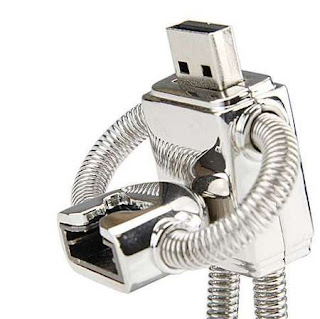
How to connect a USB flash drive to your tablet using the USB cable

Image
Okay, let's start from basic notions - why would someone want to connect a thumb drive to a Nokia tablet? USB flash drives, which are sometimes referred to as thumb drives are basically flash memory cards with a USB connector. They could be easily carried around and can store up to 64GB of information. Most of my friends use these to make backups of important files or to carry needed files with them. The N800 and N810 both come with built-in memory card slots, but both these data storage devices work identically but flash drives are capable of storing larger amounts of information. The only difference is in the the plug, the USB plug in this case. Well, when I started writing this blog posts, I didn't know that a similar article already existed, so please refer to this article to find out how to connect a USB drive to a tablet by using a USB cable: http://trixboxer.com/blog/nokia-n800-n810-how-to-connect-a-usb-flash-drive-to-your-tablet-using-the-usb-cable/ Thanks...
Why the polarisation? Perhaps the biggest problem is that it's difficult to know who exactly the Nokia tablets are primarily aimed at. Are they for the casual user who just wants to look at some websites while lounging on the sofa, or the enthusiastic user who wants a pocket-sized alternative to their laptop with a full range of computing features? Obviously both of these people would get a lot out of the Nokia tablets right now. The tablets have an excellent and easy to use browser which can display almost all websites, even Flash and AJAX ones, but they also feature an open software platform that can give you most of the functions of a full-size computer. However, going on from here, which direction should the tablets go in? Until now, Nokia has favoured the more computing-oriented user as they've spent years courting the open source community, and deliberately made the tablets very open and "hackable" to appeal to serious hardcore computer users. The Nokia ...

Nokia N800 & N810: How to switch the tablet's blinking light on or off

The Blinking Light The N800 and N810 internet tablets have a bright light built into their top left corner (on the N810 it's at the very edge of the corner, on the N800 it's under the direction pad). This light can be made to blink during certain events. One of the most useful events is when the tablet is switched on but the screen is off, because the blinking light helps you find the tablet in a dark room. Others find this light very annoying and wish they could switch it off! Fortunately this tutorial tells you how to switch it on and off. It's very very very very very easy, you just have to know where to look. How to switch the tablet "night light" on or off 1. Click on the sun icon in the status bar at the top. 2. Select "Display Settings". 3. Click on LEDs. 4. Tick the "Device On" box if you want to switch on the night light, untick it if you want to switch it off. 5. Click on OK. That's it! Getting the light ...

Do you use the built-in memory card on the N810? If so, read this.

The N810 built-in memory card bug There have been several reports of a bug on the Nokia N810's built-in 2 gigabyte memory card. If you use the built-in memory card, you may want to read this post as it will tell you how to fix the bug. It's very easy to fix, so don't panic. What is the bug? What problems can it cause? The built-in memory card on some N810s was incorrectly formatted at the factory. This may cause files stored on the card to become corrupted, which means you wouldn't be able to open them. If your N810's built-in card has this bug, even if it works fine now, it may run into problems later on. For this reason, it's a good idea to fix this bug now before those problems happen in the future. Does Nokia know about this? Have they fixed it? Yes, Nokia now knows about it, they've documented it on their official bug-reporting website. They have presumably fixed the formatting process in their N810 factory, but there is nothing they can d...

The Nokia N810 Wimax Edition - What is it?

Yes, we're back! If you've been following the internet tablet world you may have heard that Nokia is bringing out a tablet called the "N810 Wimax Edition", and here's our guide to what you need to know about it: Is the N810 Wimax Edition a new internet tablet? No, not really. It's just an ordinary N810 with a special chip added to allow it to use Wimax. What the heck is Wimax? It's like Wi-Fi, but with a longer range. It lets you access the internet at high speed wirelessly. At the moment it's mostly used by businesses but some companies are talking about setting up public Wimax networks which you could subscribe to. So far though, only a handful of American cities will receive these kinds of services, and the N810 Wimax Edition will only be on sale in those cities. Who should buy the N810 Wimax Edition? Only people who will be within range of a compatible Wimax network, which is a very small number of people at the moment. When i...