Posts

How to connect a USB flash drive to your tablet using the USB cable
Image
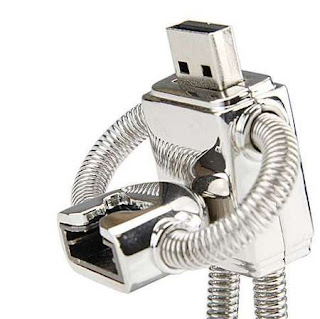
Okay, let's start from basic notions - why would someone want to connect a thumb drive to a Nokia tablet? USB flash drives, which are sometimes referred to as thumb drives are basically flash memory cards with a USB connector. They could be easily carried around and can store up to 64GB of information. Most of my friends use these to make backups of important files or to carry needed files with them. The N800 and N810 both come with built-in memory card slots, but both these data storage devices work identically but flash drives are capable of storing larger amounts of information. The only difference is in the the plug, the USB plug in this case. Well, when I started writing this blog posts, I didn't know that a similar article already existed, so please refer to this article to find out how to connect a USB drive to a tablet by using a USB cable: http://trixboxer.com/blog/nokia-n800-n810-how-to-connect-a-usb-flash-drive-to-your-tablet-using-the-usb-cable/ Thanks...
Internet Tablet School - Privacy Policy

Web Site Terms and Conditions of Use 1. Terms By accessing this web site, you are agreeing to be bound by these web site Terms and Conditions of Use, all applicable laws and regulations, and agree that you are responsible for compliance with any applicable local laws. If you do not agree with any of these terms, you are prohibited from using or accessing this site. The materials contained in this web site are protected by applicable copyright and trade mark law. 2. Use License Permission is granted to temporarily download one copy of the materials (information or software) on Tablet School's web site for personal, non-commercial transitory viewing only. This is the grant of a license, not a transfer of title, and under this license you may not: modify or copy the materials; use the materials for any commercial purpose, or for any public display (commercial or non-commercial); attempt to decompile or reverse engineer any software contained on Tab...

Nokia N800 & N810: How to unzip files

Image
Unzipping files on your tablet Tablets, as well as smartphones, support various file formats and .zip archives is one of them. If you download a zipped file and moved it to your tablet, you may have noticed such problem - there's no way to unzip such file and view its contents. But I’ve got a solution for you - there is one piece of software and it’s called Unzip. Unzip is completely free and can be easily installed onto your tablet. Once it's been installed you can unzip any .zip files (you just have to click an them in the File Manager) Installing Unzip on tablets 1. First of all, in your tablet click on the globe and select "Open New Browser Window". 2. maemo.org/downloads is your destination page 3. Enter "unzip" search query in the top right hand corner. 4. Find Unzip application. 5. Click "Click To Install" arrow. Say yes or OK to all of the boxes that appear. 6. When Unzip has installed successfully, close the Applicati...

PC Macintosh tablet related software

Image
In my previous blog posts I featured maemo.org/downloads, which is a superb source for various applications and games for your Nokia tablet but today I have even more news for you. From now on, maemo.org downloads section has one more section - on this website you will be able to find various Windows PC and Macintosh software, which has help you manage your tablet even more. By visiting maemo.org/downloads and clicking "PC" button you will gain access to a huge amount of software and downloads. Just to give you a tip, on this site you will be able to find 770Flasher. THis is anunofficial program for the Macintosh with the help of which users can update tablet firmware.
Why the polarisation? Perhaps the biggest problem is that it's difficult to know who exactly the Nokia tablets are primarily aimed at. Are they for the casual user who just wants to look at some websites while lounging on the sofa, or the enthusiastic user who wants a pocket-sized alternative to their laptop with a full range of computing features? Obviously both of these people would get a lot out of the Nokia tablets right now. The tablets have an excellent and easy to use browser which can display almost all websites, even Flash and AJAX ones, but they also feature an open software platform that can give you most of the functions of a full-size computer. However, going on from here, which direction should the tablets go in? Until now, Nokia has favoured the more computing-oriented user as they've spent years courting the open source community, and deliberately made the tablets very open and "hackable" to appeal to serious hardcore computer users. The Nokia ...

Nokia N800 & N810: How to use the tablets to make free video calls over the internet

Video calling is very, very cool indeed The Nokia N800 and N810 internet tablets both have built-in webcams: the N800's hidden in a round pop-out section on the left of the tablet, and the N810's mounted on the front. They're there to let you make video internet calls where you can speak and hear the other person in real time, just like a videophone. This feature might sound very technical and nerdy, but it isn't at all. If you'll forgive the sentimentality, video calling is actually one of the most emotionally fulfilling features of the tablet. Being able to see someone's face when you talk to them makes the conversation feel far more intense, and gives you a feeling of almost being there with the person. Because the tablet is portable, they can carry you with them as they walk round the house or wherever they happen to be. One especially nice feature is that you can show the other person the world around you very easily, as if they were seeing what you w...

Nokia N800 & N810: Hints and tips for using the web browser

Some hints and tips for using the web browser on the Nokia N800 & N810 The web browser is the most important feature on the N800 and N810 internet tablets as it lets you look at websites, which is the main purpose of the tablets. The browser is fairly easy to use, especially if you're used to using web browsers such as Firefox or Internet Explorer on computers. However, there are still a few quirks and features which may not be immediately obvious, and that's what we're going to look at in this tutorial. For those who are interested, the browser used in the N800 and N810 is called MicroB, and is based on the same Mozilla technology that Firefox uses. It is compatible with all the major advanced website standards such as Flash, Javascript and AJAX, and is possibly the world's best web browser on a pocket-sized device. The tablets are compatible with far more websites than the iPhone or iPod Touch because Apple's gadgets cannot display Flash-based sites. ...